

computer

Apple Just Released iOS 27 and macOS 27: Why You Should Update Now

Apple released its newest operating systems on September 14, 2026, including iOS 27, iPadOS 27, macOS 27 Golden Gate, watchOS 27, and tvOS 27. While many people will update because of new features, there is another major reason businesses and consumers should pay attention: cybersecurity.

Apple addressed an unusually large number of security vulnerabilities in this release cycle. iOS 27 and iPadOS 27 address approximately 126 unique CVEs, while macOS 27 Golden Gate addresses approximately 210 vulnerabilities. Apple also released iOS 26.7 and macOS Tahoe 26.7 for users who are not immediately moving to the newest major operating system.

From a cybersecurity perspective, this is not an update that should simply be ignored.

Why Upgrade to iOS 27?

iOS 27 is compatible with the iPhone 11 and newer, including the iPhone SE 2nd and 3rd generations. However, not every iOS 27 feature works on every compatible iPhone. The most advanced Apple Intelligence and Siri AI capabilities require newer hardware, including the iPhone 15 Pro and Pro Max and newer supported models.

Beyond security, these are five of the biggest iOS 27 features getting attention:

  1. Siri AI and the new Apple Intelligence experience. Siri has received a major redesign with better conversational abilities, personal-context awareness, onscreen awareness, and the ability to perform actions across applications. Siri can help locate information in messages, email, photos, and other areas of your device. Apple has also introduced Write with Siri and deeper Visual Intelligence capabilities. 
  2. Major improvements to Photos. Apple Intelligence introduces Spatial Reframing, an Extend tool that can intelligently expand images beyond their original borders, and an upgraded Clean Up feature for removing unwanted objects more naturally. 
  3. A smarter Safari browser. Safari can automatically organize tabs by topic, monitor websites for changes such as product availability or price changes, and even create certain customized extensions based on natural-language descriptions. 
  4. Better performance and connectivity. Apple says iOS 27 improves app-launch performance, photo loading, AirDrop transfers, search, and transitions between Wi-Fi and cellular networks. These improvements may be particularly noticeable on older supported devices. 
  5. Improved Screen Time and child-safety controls. New features include Ask to Browse, stronger Communication Safety protections, app Time Allowances, scheduling controls, and redesigned Screen Time settings. 

There are also smaller improvements, including independent alarm and timer volume settings, improved iCloud Shared Albums, new AirPods audio controls, and refinements to Apple’s Liquid Glass interface.

The Cybersecurity Reason to Update

The biggest reason Firma IT Solutions recommends keeping operating systems current is security.

Apple’s iOS 27 security advisory identifies more than 120 vulnerabilities across components including Bluetooth, CoreMedia, the kernel, authentication services, WebKit, Wi-Fi, Siri, Shortcuts, and networking.

Apple does not assign every vulnerability a simple “critical” rating, but several have particularly serious potential impact.

One example is CVE-2026-84607, which affected the AVEVideoEncoder component. Apple says a sandboxed application could potentially execute arbitrary code with kernel privileges. Kernel-level vulnerabilities are particularly serious because the kernel operates at one of the most privileged levels of the operating system.

Another significant issue, CVE-2026-65414, affected Bluetooth. Apple says a remote attacker could potentially cause application termination or arbitrary code execution.

A CoreMedia vulnerability, CVE-2026-64752, could allow a maliciously crafted image to result in arbitrary code execution. The issue was significant enough that Apple addressed it by removing the vulnerable code. 

Apple also corrected CVE-2026-65329, a networking vulnerability that could allow an attacker in a privileged network position to bypass IPsec authentication and potentially intercept network traffic.

Finally, CVE-2026-84523 affected Apple’s APFS file system. Apple says an application could potentially cause system termination or write to kernel memory.

Apple has not indicated that these particular iOS 27 vulnerabilities were being actively exploited when the update was released. Nevertheless, once vulnerabilities and patches become public, attackers have additional information they can use to investigate systems that remain unpatched.

What About iOS 26.7?

Apple released iOS 26.7 at the same time as iOS 27. It addresses approximately 82 unique CVEs.

An important clarification: on the iPhone, iOS 26.7 is not simply for devices incapable of running iOS 27. Both releases support the iPhone 11 and newer. Apple is allowing users to remain on iOS 26 temporarily while still receiving an important security update. However, iOS 27 includes additional security fixes that are not included in iOS 26.7. 

For businesses, that means remaining on iOS 26.7 may make sense temporarily while confirming application compatibility, but it should not be interpreted as identical security coverage.

Which Devices Cannot Upgrade?

For iPhones, iPhone XS, iPhone XS Max, iPhone XR, iPhone X, iPhone 8, and earlier generations cannot install iOS 27. The supported lineup begins with the iPhone 11 and iPhone SE 2nd generation.

Some older iPads can install iPadOS 26.7 but cannot install iPadOS 27. The cutoff for iPadOS 27 is iPad Pro 12.9-inch 4th generation, iPad Pro 11-inch 2nd generation, iPad Air 4th generation, standard iPad 9th generation, and iPad mini 6th generation or newer.

The situation is even more significant for Mac users.

macOS 27 Golden Gate supports Apple-silicon Macs only. Intel-based Macs cannot install macOS 27. Apple states that any Mac using an M-series or supported A-series Apple chip can upgrade.

Several of the final Intel Macs can still run macOS Tahoe 26.7, including the 2019 16-inch MacBook Pro, certain 2020 Intel MacBook Pros, the 2020 27-inch iMac, and the 2019 Mac Pro.

Apple is continuing to release security updates for older macOS versions, but organizations should not assume that means exactly three additional years of complete security coverage. Apple specifically warns that not all known security issues are necessarily addressed in previous versions of its operating systems.

What Businesses Should Do Now

Whether your organization uses Macs, iPhones, or iPads, operating-system updates should be part of your cybersecurity program—not something left entirely to individual employees.

Organizations should inventory their Apple devices, identify which systems can upgrade to the newest operating systems, install available security updates, and develop replacement plans for hardware approaching the end of operating-system support.

Software updates close vulnerabilities that Apple already knows about. Penetration Testing answers a different question: What vulnerabilities still exist in your environment that attackers could actually exploit?

Firma IT Solutions provides professional Penetration Testing and Managed IT Services to help organizations identify weaknesses, reduce cybersecurity risk, and keep systems secure.

If it’s untested, it’s unprotected.

For information about Penetration Testing or Managed IT Services, contact Firma IT Solutions at 303-209-0386 or visit firmaitss.com.

Firma IT Solutions — Keeps You Connected and Protected.

ChatGPT Image Jun 25, 2026, 02_04_42 PM

HOW CRUCIAL IS CONTINUOUS MONITORING IN MAINTAINING NETWORK SECURITY IN DENVER?

In Denver’s evolving cyber landscape, you can’t afford to let your guard down for a second. Continuous network monitoring has become absolutely essential, with real-time analysis catching threats before they become disasters. Our city’s businesses and infrastructure rely on 24/7 vigilance, identifying vulnerabilities and stopping breaches in their tracks. Through sophisticated monitoring systems and integrated threat intelligence sharing, Denver’s approach to network security transforms raw data into actionable protection. There’s so much more to discover about safeguarding your digital assets.

Key Takeaways

  • Denver’s real-time network analysis enables immediate threat detection, preventing breaches before they can cause significant damage.
  • Continuous monitoring provides 360-degree visibility across network infrastructure, ensuring comprehensive protection of Denver’s digital assets.
  • The city’s threat intelligence sharing system strengthens collective defense through real-time collaboration with neighboring businesses.
  • Proactive monitoring helps identify and respond to APT attacks targeting Denver’s technology and financial sectors.
  • Denver’s Network Operations Center demonstrates how continuous assessment effectively streamlines security protocols and compliance management.

The Critical Role of Real-Time Network Analysis in Denver

real time network security vigilance

While many cities struggle with cybersecurity, I’ve seen firsthand how Denver’s commitment to real-time network analysis has transformed our approach to digital safety. You’ll appreciate how we’ve augmented monitoring effectiveness through continuous threat detection, catching potential breaches before they happen. Our approach leverages 360-degree visibility across the entire network infrastructure to ensure no vulnerabilities go unnoticed.

Trust me, I’ve watched our team optimize resource utilization by strategically deploying security measures where they’re needed most. Understanding network representations and implications helps us better analyze and secure our city’s digital infrastructure. We’ve integrated threat intelligence sharing with neighboring businesses to strengthen our collective defense capabilities. The implementation of behavioral analysis enables us to quickly identify and respond to suspicious network activities.

When you’re protecting a city’s digital infrastructure, every second counts. That’s why I’m proud of how we’ve integrated AI-driven analytics with our GIS systems. It’s like having a guardian that never sleeps, always watching over Denver’s digital landscape.

Strengthening Cybersecurity Through Continuous Assessment

Nearly every security expert I’ve met agrees that continuous assessment is the bedrock of modern cybersecurity. I’ve seen firsthand how Denver businesses thrive when they adopt ongoing security risk analysis. You’ll want to implement continuous monitoring because it lets you spot threats before they become disasters. Real-time threat detection enables organizations to respond swiftly and contain potential breaches before they escalate. Intrusion detection systems have become essential tools for maintaining strong network security.

Through my work with local companies, I’ve learned that proper asset prioritization makes all the difference. You can’t protect everything equally, and that’s okay. Instead, focus your resources where they matter most. Regular tabletop exercises are essential for validating your security monitoring effectiveness. Trust me, when you’re constantly evaluating your security posture, you’ll sleep better knowing your network is protected around the clock. Web application testing has become crucial for businesses seeking to maintain comprehensive security coverage in Denver and Colorado Springs.

Building Effective Response Strategies for Network Threats

continuous proactive network monitoring

Since I started consulting for Denver tech companies, I’ve learned that having a solid response strategy isn’t just nice to have – it’s essential for survival. You’ve got to adopt proactive risk mitigation before threats hit your doorstep. I’ve seen too many companies scramble when they should’ve had thorough incident planning in place. Today’s sophisticated APT attackers are increasingly targeting Denver’s thriving tech and finance sectors. Critical infrastructure protection becomes paramount as municipalities manage essential utilities and public safety systems. Regular assessments reveal that human elements account for over 82% of security breaches in organizations.

Trust me, you’ll want to build your response strategy around clear protocols and regular team training. I recommend starting with threat identification, then developing specific response procedures. Don’t forget to collaborate with local cybersecurity experts – they’re an indispensable resource for strengthening your defense posture. Organizations should conduct regular security audits to identify and fix potential network vulnerabilities before they can be exploited.

Denver’s Approach to Security Documentation and Policy Management

Denver’s approach to security documentation and policy management has transformed dramatically in my 15 years consulting here. I’ve watched companies evolve from basic security checklists to sophisticated frameworks that blend SOC2, ISO 27001, and other standards. You’ll find that policy implementation isn’t just about ticking boxes anymore – it’s about creating a living security ecosystem. The airport’s Network Operations Center serves as a crucial model for implementing comprehensive security documentation across the city. Local manufacturers are increasingly implementing compliance management software to streamline their security protocols and reporting requirements. Construction firms now prioritize data breach prevention through robust documentation systems to protect valuable project intellectual property. Our team conducts thorough Pen Testing to identify vulnerabilities in organizations’ security documentation frameworks.

What excites me most is how local businesses have adopted security awareness training. I remember struggling to convince executives about its importance back in 2008. Now, they’re leading the charge, collaborating with their boards to establish robust risk management strategies that actually work.

Advancing Network Protection Through Education and Innovation

educating tomorrow's cybersecurity defenders

While technology evolves at breakneck speed, I’ve noticed a remarkable shift in how we approach network protection through education here in Colorado. Our emerging cybersecurity curriculum has transformed how we defend against threats, and I’m thrilled to see students diving into hands-on learning. Educational institutions have become increasingly vulnerable as they face ransomware threats at an alarming rate. Student data protection has become paramount as institutions work to maintain operational continuity and academic integrity.

You’ll find our local student cybersecurity competitions drawing bigger crowds each year. Just last month, I watched teams from Denver tackle real-world scenarios with impressive skill. It’s not just about learning – it’s about building a community of defenders. Through partnerships with tech firms and practical workshops, we’re equipping the next generation with tools they’ll need to protect our digital future. The implementation of zero trust architecture has become a cornerstone of our educational approach to network security. Regular penetration testing helps identify vulnerabilities before malicious actors can exploit them.

Frequently Asked Questions

How Much Does Implementing Continuous Monitoring Typically Cost for Small Denver Businesses?

You’ll typically invest $100-150 per seat monthly for basic monitoring, but your total costs depend on your budget considerations and resource allocation. Additional services or specialized support can raise costs to $200+ per seat.

Which Certifications Are Required for Continuous Monitoring Specialists in Denver?

Imagine mastering your cybersecurity destiny! You’ll need GIAC GMON or CompTIA CySA+ certifications, plus ongoing training requirements in risk assessment strategies. Denver doesn’t mandate specific certs, but these credentials boost your professional value.

Can Continuous Monitoring Systems Be Effectively Managed Through Remote Work Arrangements?

Yes, you’ll find remote workflow optimization highly effective for managing continuous monitoring systems. With proper employee engagement considerations and digital tools, you can successfully oversee security operations from anywhere while maintaining operational excellence.

What Percentage of Denver Organizations Currently Utilize Continuous Monitoring Technologies?

While exact Denver stats aren’t available, you’ll find most organizations adopt continuous monitoring for network security compliance. Denver cybersecurity trends suggest widespread implementation, especially among businesses prioritizing robust security measures and regulatory requirements.

How Long Does It Take to Fully Implement a Continuous Monitoring System?

Like nurturing a garden, you’ll find your continuous monitoring system takes 6-12 months to fully bloom. Your implementation timeline depends on system complexity and personnel training requirements, but you’ll gain security independence.

Conclusion

Just like a vigilant night watchman can’t protect a building by doing occasional walk-throughs, you can’t secure Denver’s networks through sporadic monitoring. You’ll need 24/7 surveillance to catch threats in real-time. With cyber attacks in Denver increasing by 47% last year, your continuous monitoring system acts as your digital security camera – always watching, always protecting. It’s no longer optional – it’s your front line of defense in today’s cyber battlefield.

ChatGPT Image Jun 8, 2026, 04_11_17 PM

The Hidden Cybersecurity Threat Lurking Inside Multi-Tenant Office Buildings

Shared Office Network Security: The Hidden Cybersecurity Threat Lurking Inside Multi-Tenant Office Buildings

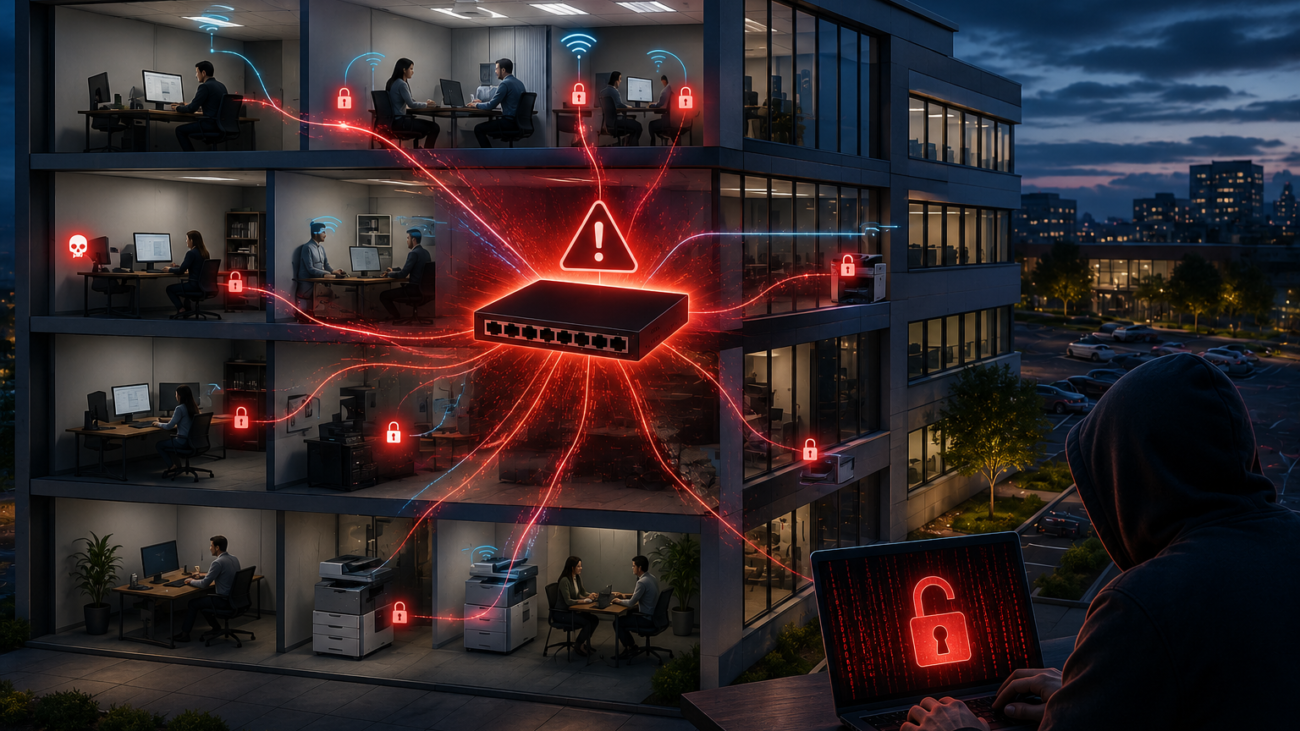
Shared office network security is a growing concern for businesses operating in multi-tenant office buildings. Many companies assume they are protected because their computers work, the internet is fast, and the printer connects without issue. Unfortunately, those assumptions can create significant cybersecurity risks. When multiple businesses share the same network infrastructure without proper security controls, a cyberattack against one tenant can quickly become a cyberattack against everyone.

Across the country, countless office buildings house multiple businesses that share internet connections, networking equipment, and wireless infrastructure. In many cases, building owners provide internet access as an amenity, and tenants simply plug in and get to work.

However, many business owners never realize they may be sharing a network with every other company in the building.

Why One Compromised Computer Can Become Everyone’s Problem

Cybercriminals rarely stop at the first device they compromise.

Instead, once attackers gain access to a computer, they immediately search for other systems on the network. Security professionals call this process lateral movement. During this phase, attackers identify additional computers, servers, printers, network devices, and other connected systems.

Without proper network segmentation and security controls, attackers can potentially:

  • Access computers belonging to other tenants
  • Discover shared files and printers
  • Capture network traffic
  • Harvest usernames and passwords
  • Deploy ransomware across multiple organizations
  • Spread malware throughout the building
  • Disrupt operations for every tenant

As a result, a single employee clicking a malicious email attachment could trigger a cybersecurity incident that affects every company in the building.

“But We’re Not a Target”

Shared Office Network Security

This belief remains one of the most dangerous misconceptions in cybersecurity.

In reality, attackers do not care whether your company has five employees or five thousand employees. Modern cybercriminals use automated tools that continuously scan the internet for vulnerable systems.

Therefore, if your business shares an exposed network with other tenants, your security may only be as strong as the least secure company in the building.

For example, your organization may enforce strong passwords, multifactor authentication, endpoint protection, and security awareness training. Meanwhile, another tenant may operate outdated computers, weak passwords, or no cybersecurity protections at all.

When everyone shares the same network, everyone shares the same risk.

The Liability Question for Building Owners

Building owners and property managers should pay close attention to this issue.

Although liability varies by jurisdiction and contractual agreements, providing internet service without proper network segmentation can create significant legal and financial exposure.

Following a cyber incident, investigators, attorneys, insurance carriers, and affected tenants may ask important questions:

  • Did the building owner implement reasonable security measures?
  • Were tenants informed they shared a network with other businesses?
  • Was network segmentation available but never deployed?
  • Were known cybersecurity risks ignored?
  • Was the network represented as secure when it was not?

Furthermore, if ransomware spreads from one tenant to another because every business operates on the same unrestricted network, investigators will closely examine how the network was designed and managed.

Ultimately, the cost of implementing proper cybersecurity controls is often insignificant compared to the financial, operational, and legal consequences of a major breach.

The Hidden Risk of Sharing a Network with Other Businesses

Shared Office Network Security

Many tenants have no idea they are exposed.

Most business owners focus on serving customers, generating revenue, and managing daily operations. Consequently, they often assume that if the internet works and systems connect properly, everything must be secure.

Unfortunately, functionality and security are not the same thing.

A business may unknowingly share network space with:

  • Insurance agencies
  • Healthcare providers
  • Law firms
  • Financial services companies
  • Collection agencies
  • Retail businesses
  • Contractors
  • Professional service firms

Each organization brings a different level of cybersecurity maturity and risk.

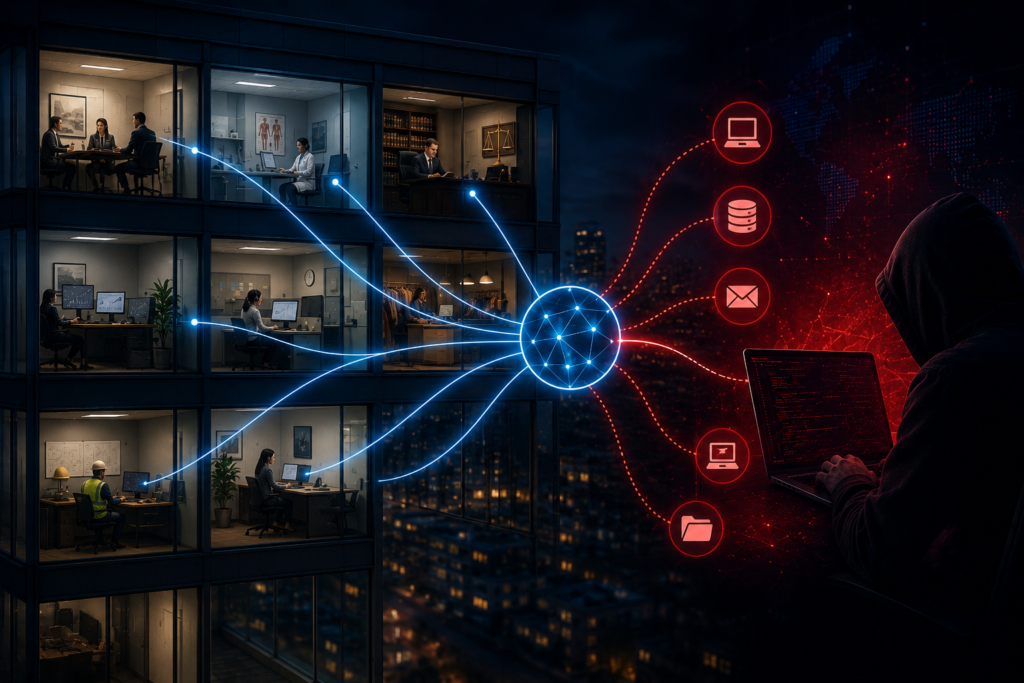
As a result, one compromised system can become a bridge into every other organization connected to the same network.

What Proper Shared Office Network Security Should Look Like

A properly designed business network separates each tenant from every other tenant.

Cybersecurity professionals typically accomplish this through:

  • VLAN segmentation
  • Firewall isolation
  • Network access controls
  • Secure wireless architecture
  • Traffic filtering and monitoring
  • Separate guest and business networks

These controls create barriers between organizations and significantly reduce the likelihood of a compromise spreading across multiple businesses.

Think of it this way: if a fire starts in one apartment, firewalls and barriers help prevent the entire building from burning down.

The same principle applies to cybersecurity.

Why Network Segmentation Matters

Network segmentation serves as one of the most effective defenses in a multi-tenant environment.

Without segmentation, every device on the network may be able to communicate with every other device. Consequently, attackers can move freely between systems once they gain an initial foothold.

With proper segmentation, however, each tenant operates within its own protected environment. Even if one organization experiences a cybersecurity incident, attackers face significant barriers when attempting to reach neighboring businesses.

For this reason, network segmentation should be considered a fundamental component of office building cybersecurity.

Businesses Still Need Their Own Security

Even when a building provides a secure network, each tenant must still protect its own environment.

Therefore, every organization should implement:

  • Endpoint protection
  • Multi-factor authentication
  • Security awareness training
  • Vulnerability management
  • Regular backups
  • Network monitoring
  • Penetration testing

Most importantly, building security and tenant security must work together as layered defenses.

Neither one alone provides sufficient protection.

Don’t Assume Your Shared Office Network Security Is Adequate

If your office is located in a multi-tenant building and you are unsure how the network is configured, now is the time to ask questions.

Ask your building owner or property manager:

  • Who manages the network?
  • Are tenants separated from one another?
  • Can devices belonging to other businesses communicate with our systems?
  • Has the network undergone a network security assessment?
  • What controls protect tenants from each other?

If you do not know the answers, your business may be carrying far more risk than you realize.

At Firma IT Solutions, we help organizations identify hidden weaknesses through network security assessments, penetration testing, and cybersecurity consulting. Before a cybercriminal discovers a weakness in your environment, make sure a trusted cybersecurity professional finds it first.

Contact Firma IT Solutions today at 303-209-0386 to learn how we can help keep your business connected and protected.

CLICK HERE TO REQUEST A PENETRATION TEST QUOTE FOR SERVICE